




Bluetooth USB Print Server Adapter | LOYALTY-SECU
Model: LY-MPS-BN01
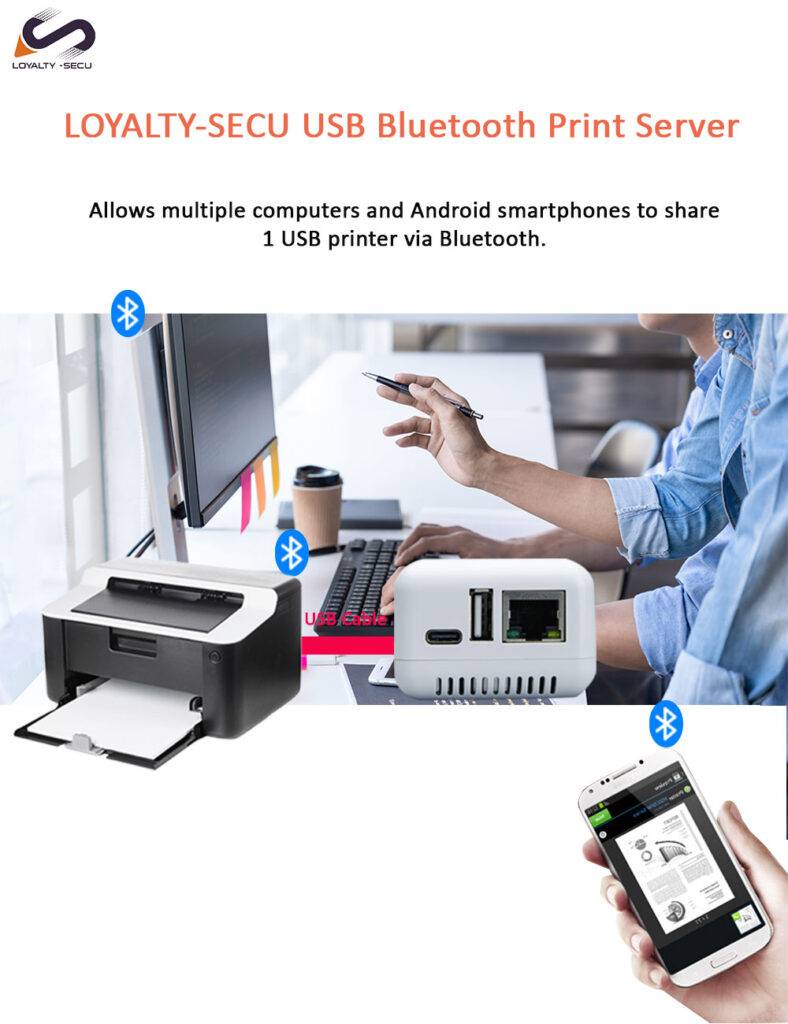
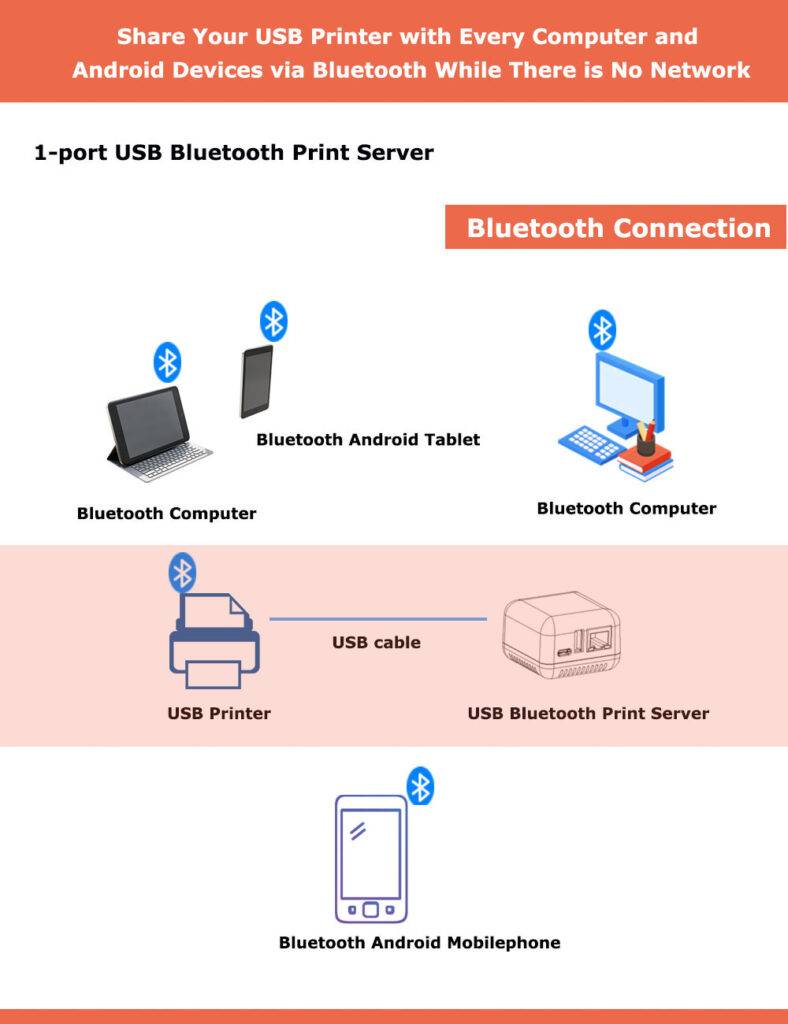
- Enable printing for users without network connections
- Support to print via Windows Computer and Android Smartphone
- Wireless printing via Bluetooth Technology
- Print from Android mobile devices and Windows computer
- Printing Connection Method: Bluetooth or Network (RJ45 LAN)
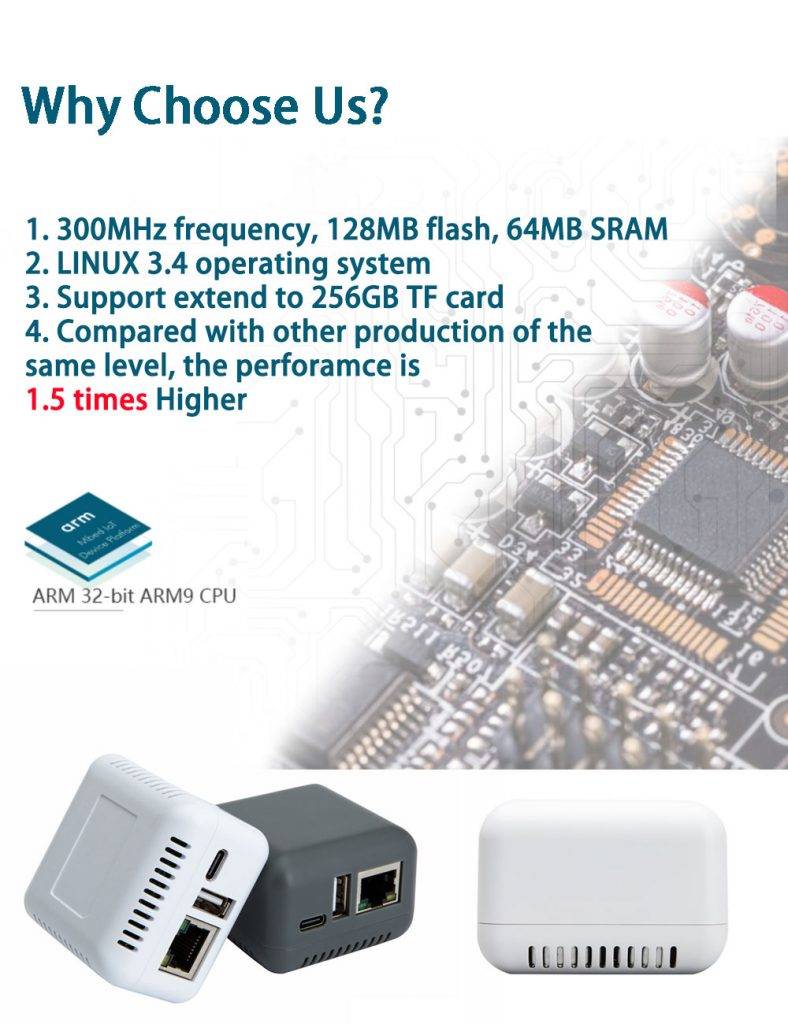
- Support multi-users sharing a USB printer simultaneously
- Standard USB2.0 interface, with high stability & fast printing feature
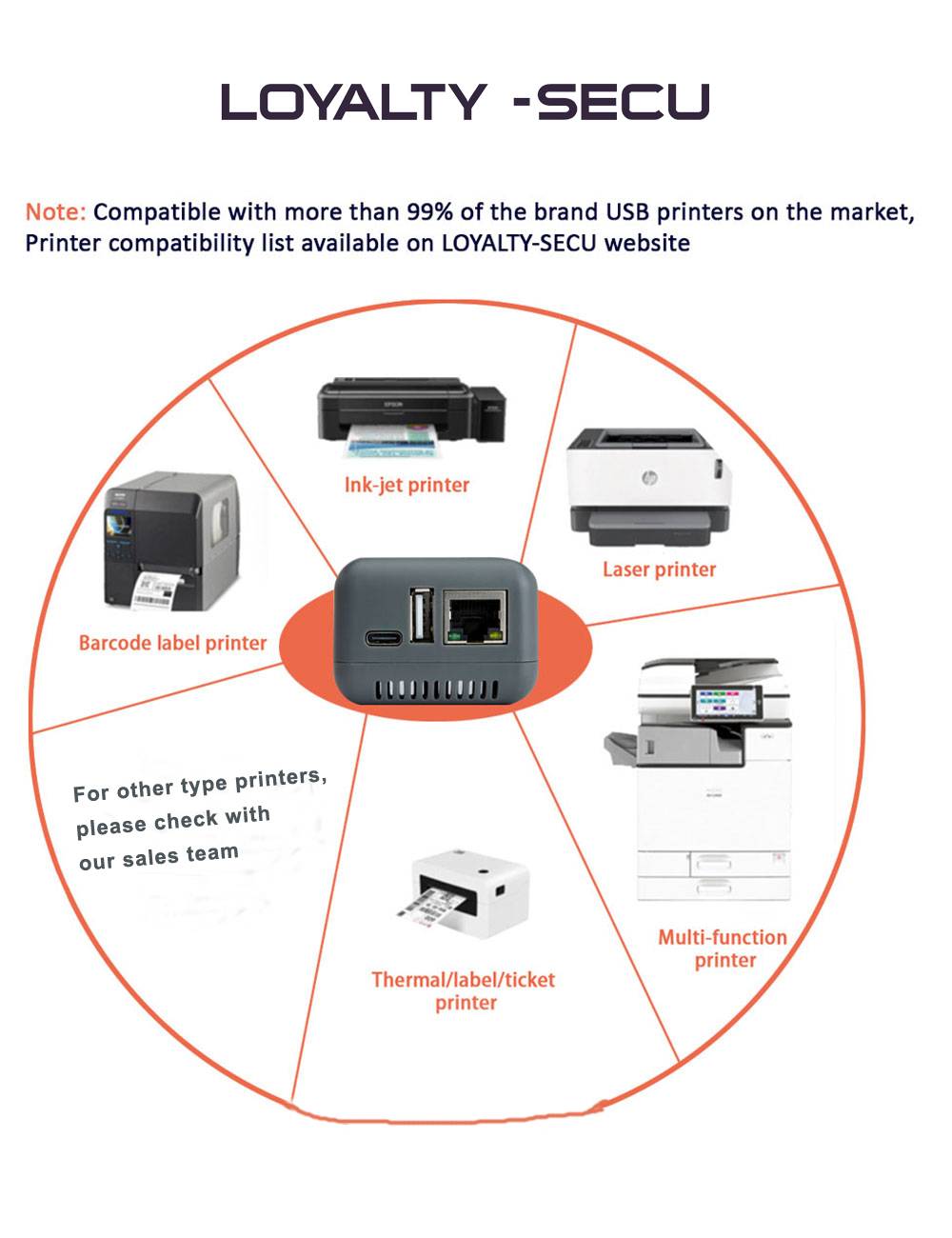
- Compatible with more than 99% of the brand USB printers on the market
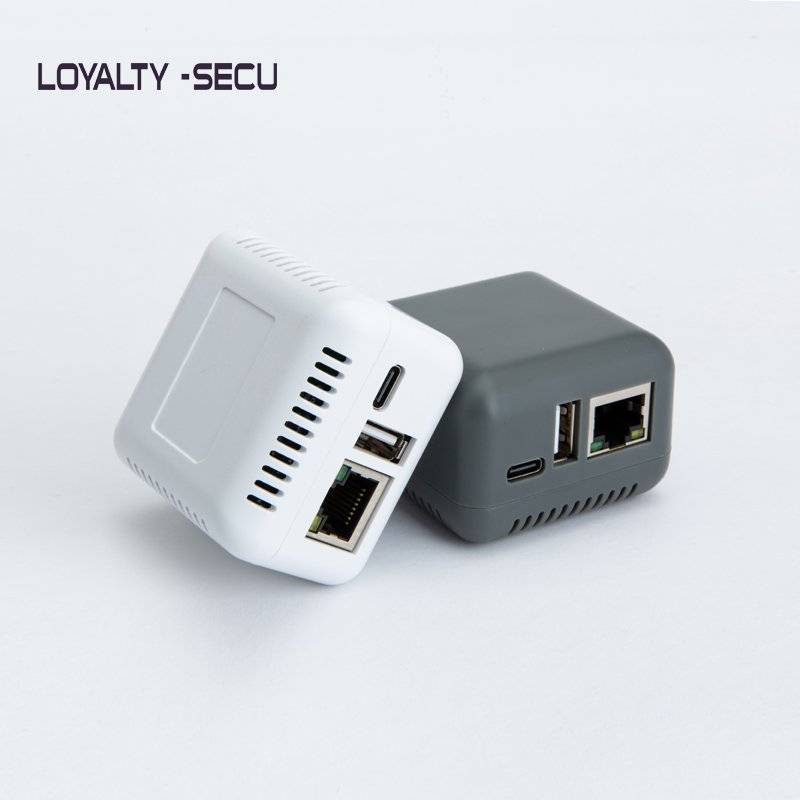
- White & gray color is available, accept customization other color
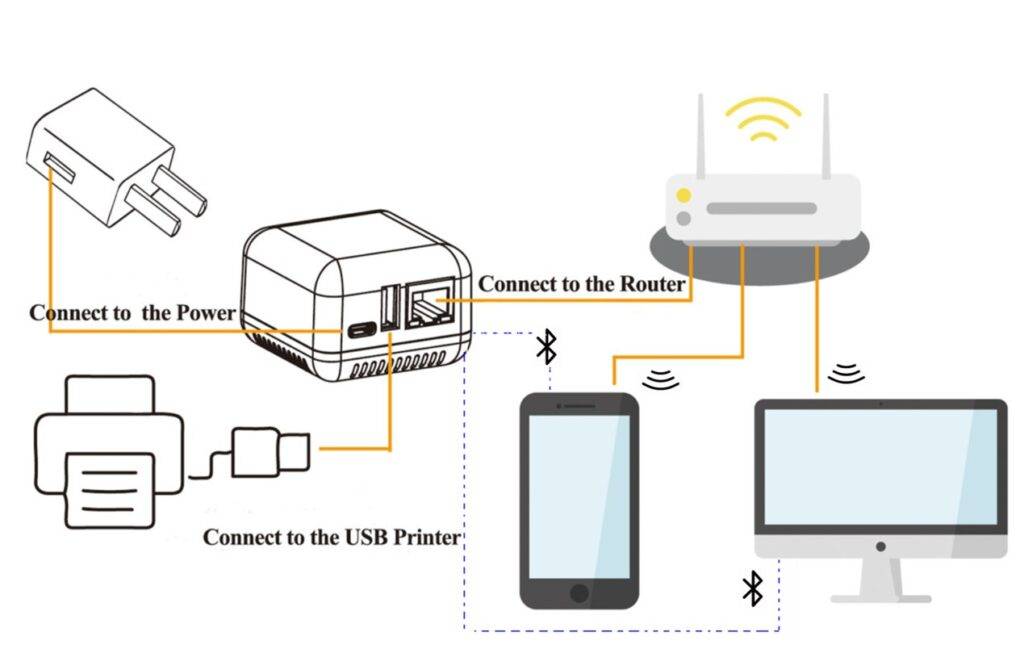
The LY-MPS-BN01 Wireless Bluetooth USB Print Server Adapter enables standard USB printers to print wirelessly through Bluetooth or a wired LAN connection.
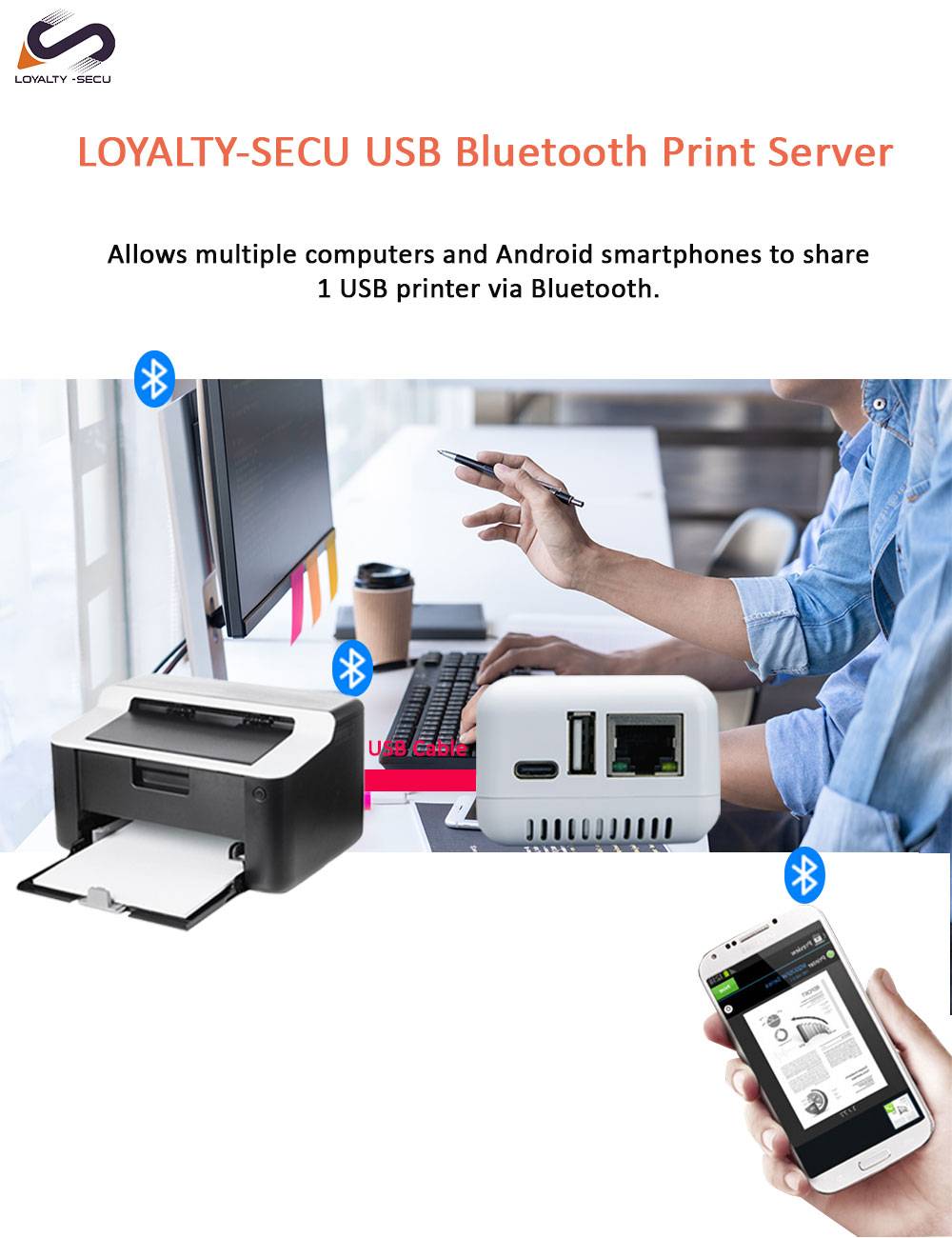
By connecting the adapter to a USB printer, users can send print jobs from Windows computers or Android smartphones without connecting the printer directly to a computer.
With Bluetooth Classic + BLE technology and a 10/100Mbps RJ45 Ethernet interface, the LY-MPS-BN01 provides flexible printing options for offices, retail stores, schools, and other business environments.
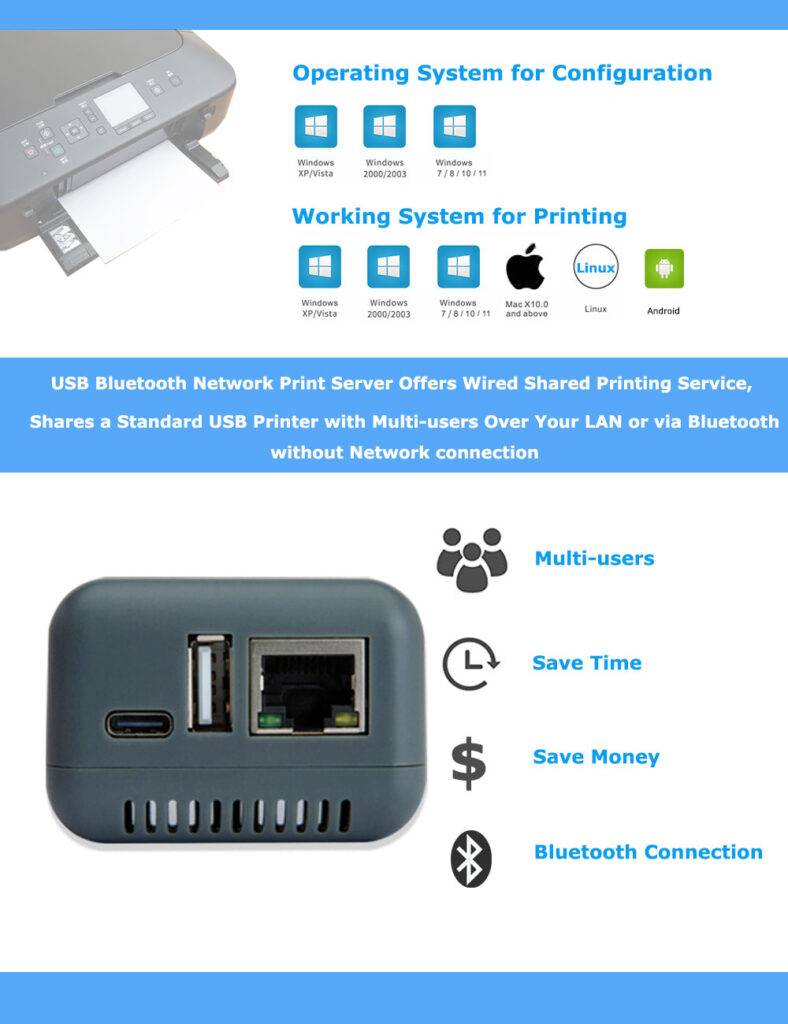
It also supports multi-user printer sharing, allowing multiple authorized users to access the same USB printer.
LOYALTY-SECU provides OEM/ODM customization and bulk supply for business customers and distributors.


Product Main Features:
1. Bluetooth Wireless Printing
Supports Bluetooth Classic 2.0 and BLE 4.2, enabling compatible Windows computers and Android devices to send print jobs wirelessly to connected USB printers.
2. Wired LAN Printing
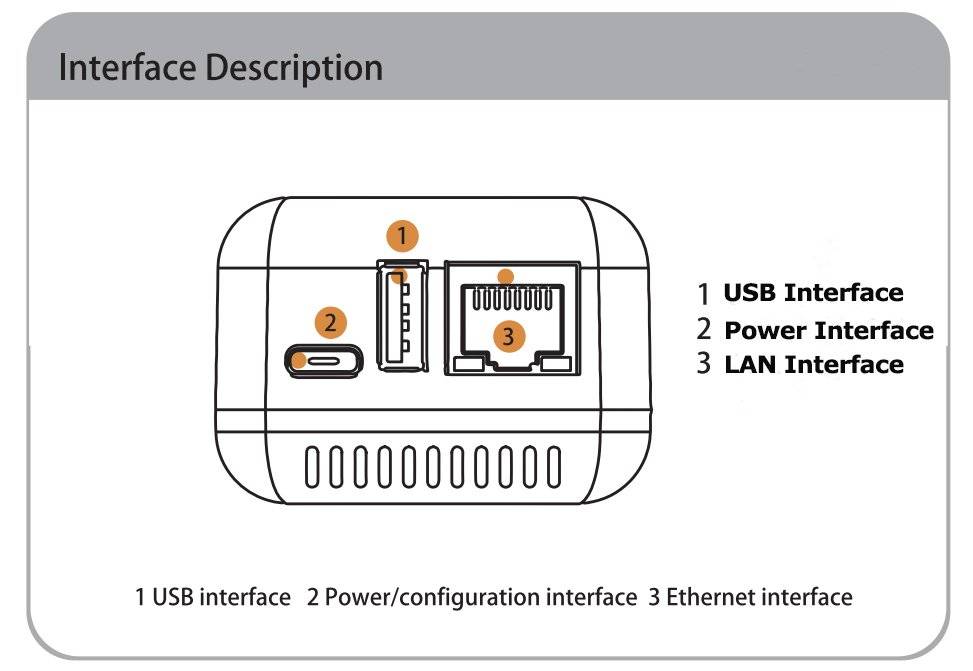
Equipped with a 10/100Mbps RJ45 Ethernet port, allowing USB printers to connect to a local area network for convenient network printing.
3. Multi-User Network Printer Sharing
Enables multiple authorized users on the same network to share a single USB printer, helping reduce hardware costs and improve office printing efficiency.
4. Wide USB Printer Compatibility
Designed to work with a wide range of standard USB printers. Compatibility may vary by printer model, so we recommend confirming compatibility before purchase.
5. Windows and Android Compatibility
Supports printing from Windows computers and Android mobile devices through compatible connection methods and third-party printing applications.
6. OEM/ODM Customization
Provides OEM/ODM customization options and bulk supply services for distributors, system integrators, and business customers.
How to make your USB Printer Work with Bluetooth Network Print Server Quickly?
Windows Computers Printing via LAN:
Step 1: Please download “Print Server Config Tool” from our Business Site business site into your Windows computer.
Step 2: Please connect Print Server with Your Windows computer via USB cable.
Step 3: Please assign a fixed IP address for the USB Print Server via “Print Server Config Tool” on Windows computer firstly.
Step 4: Add the IP address and USB port information of print server into your target USB printer in your computer. Then you can explore the excellent printing experience via the Print Server.
Need to print via Android Smartphone: Download and install the Third-Party & Prepaid APP “PrinterShare” or “PrintHand” into your Android Smartphone and follow manual user to setup, then you can send print jobs to your USB printer wirelessly in LAN.
Windows Computers Printing via Bluetooth:(No pin code required)
Step 1: Connect the Bluetooth print server to the USB Printer via USB Cable
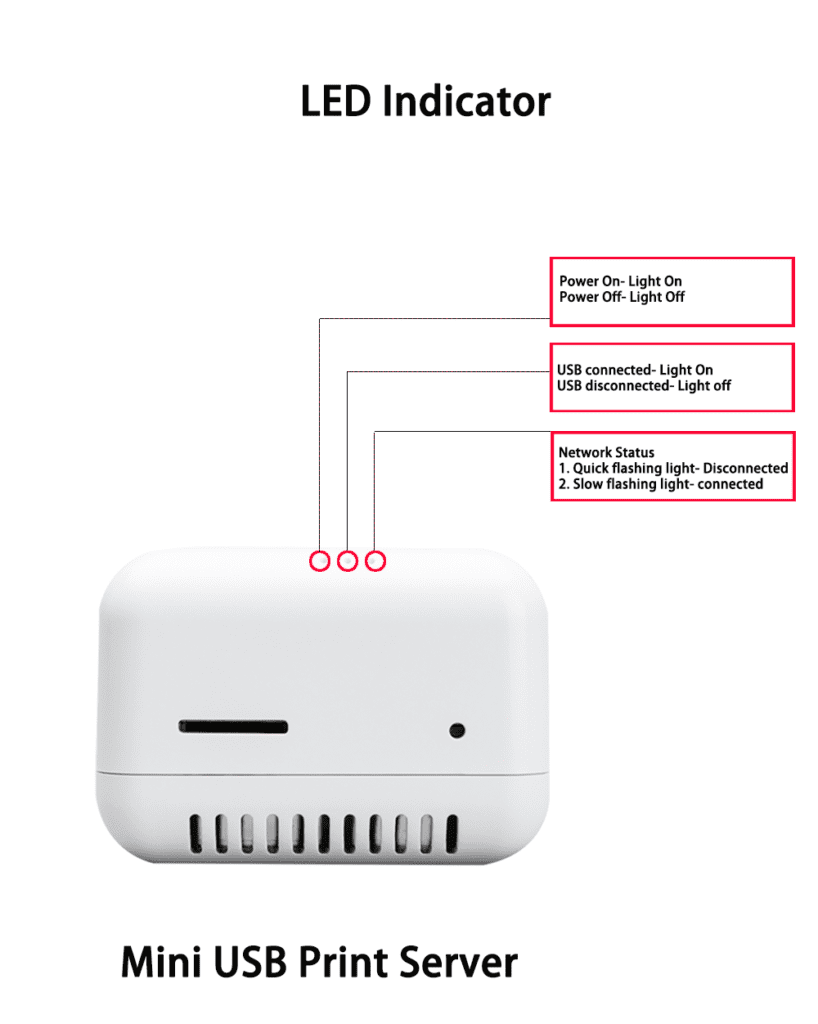
Step 2: Power on the print server & USB Printer
(The Bluetooth print server device name is PrinterServer.)
Step 3: Obtain the Bluetooth Networking COM Number of the Print Server
Step 4: Choose the corresponding COM Number for the target USB Printer in Printer Properties of your computer
Step 5: Explore the printing via Bluetooth from Computer to the USB Printer.
Android Smartphone Printing via Bluetooth:
Download and install the Pre-paid Third-Party APP “PrinterShare” or “PrintHand” into your Android Smartphone firstly and start the Bluetooth connection, then you can send print jobs via Bluetooth from your Android smartphone to your USB printer.
Note: Please follow our user manual & demo video to finish the above configuration.
Warm Reminder: Printing via Bluetooth Not support IOS System (iPhone, tablet) ,Mac OS System !!
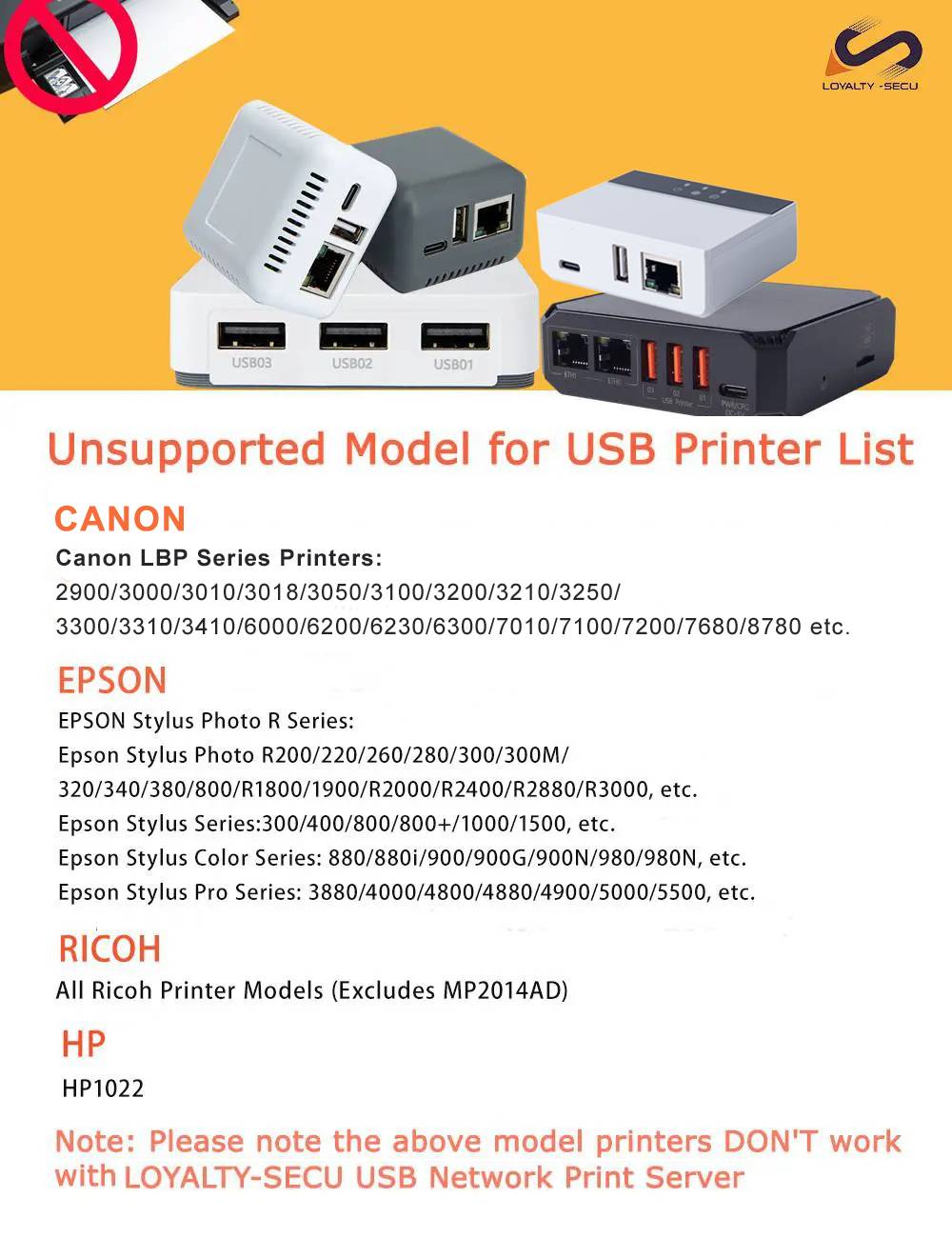
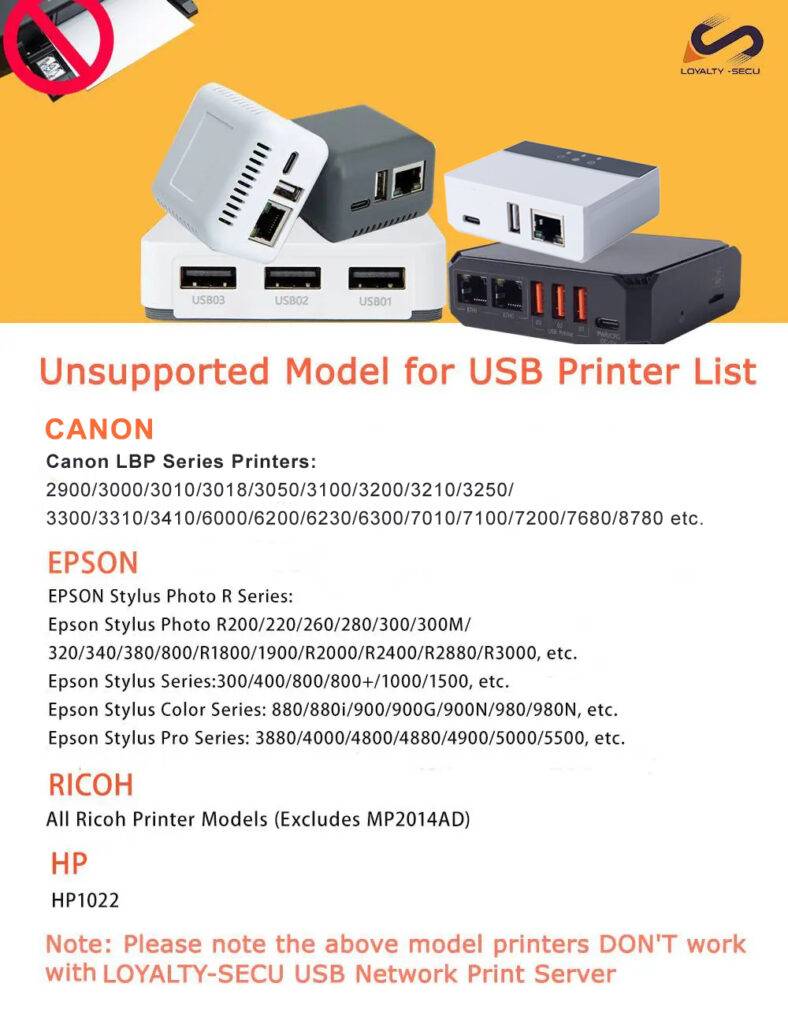
LOYALTY-SECU Network Print Servers Unsupported USB Printer Models
Canon:
Canon LBP Series Printers:
For Example : 2900/3000/3010/3018/3050/3100/3200/3210/3250//3300/3310//3410/6000/6200/6230/6300/7010/
7100/7200/7680/8780 etc.
EPSON:
EPSON R Series Printers:
For Example : Epson Stylus Photo R200/220/330/260/280/300/300M/320/330/340/380/800/R1800/1900/R2000/R2400/R2880/R3000, etc.
Epson Stylus Series Printers:
For Example: 300/400/800/800+/1000/1500, etc.
Epson Stylus Color Series: 880/880i/900/900G/900N/980/980N, etc.
Epson Stylus Pro Series: 3880/4000/4800/4880/4900/5000/5500, etc.
RICOH:
All Ricoh Printer Models (Excludes MP2014AD)
HP:
HP1022
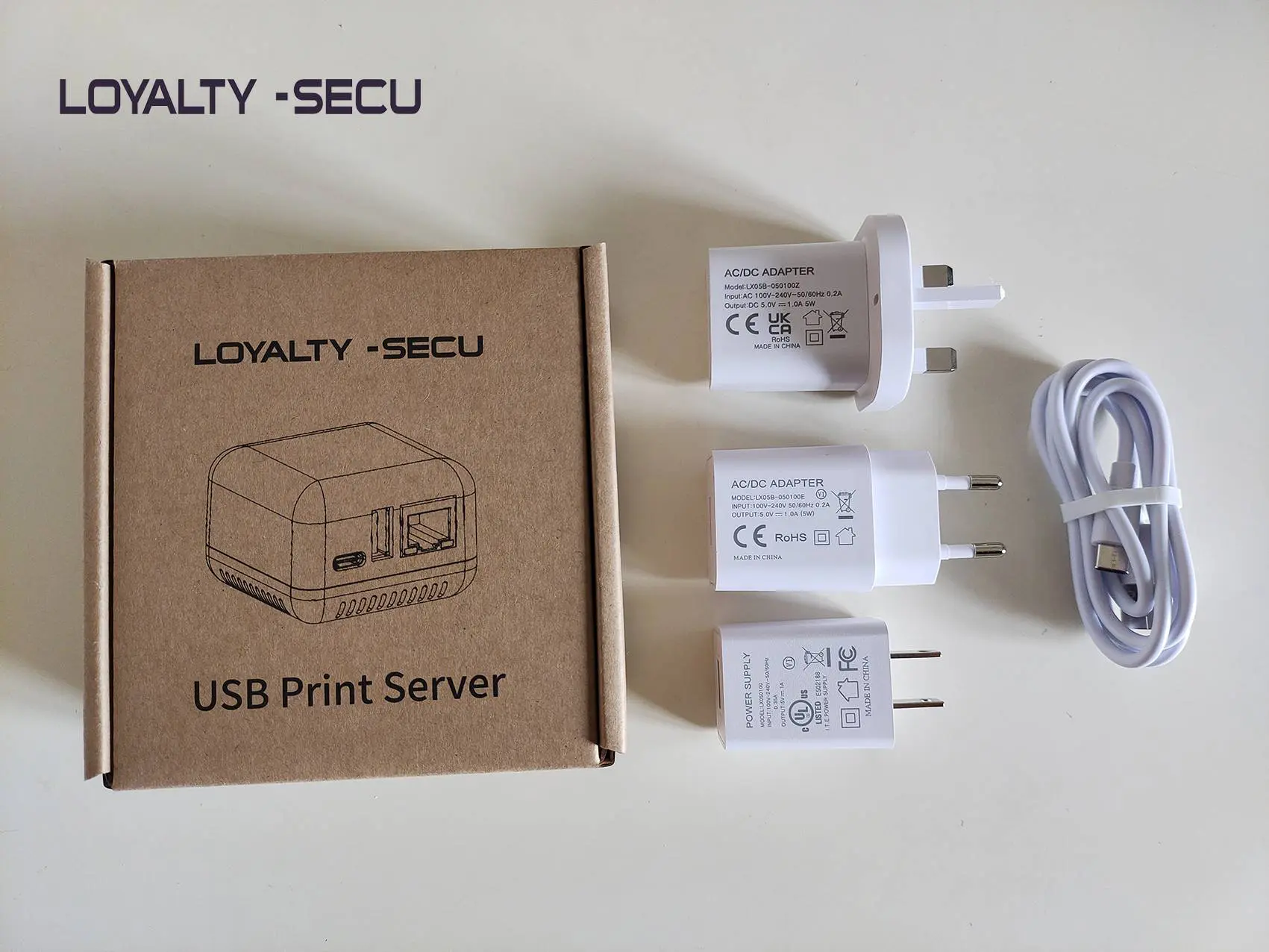
Bluetooth Print Server With 3 Types Power Plug For Option

Q1: What is a Bluetooth USB Print Server?
A Bluetooth USB Print Server is a device that connects a standard USB printer to Bluetooth or a wired LAN network, allowing compatible computers and mobile devices to send print jobs wirelessly.
Q2: Can I print from an Android smartphone using this adapter?
Yes. The LY-MPS-BN01 supports Android printing through compatible and prepaid third-party applications such as PrinterShare or PrintHand.
Q3: Does the Bluetooth Print Server support iPhone or iPad or Mac PC?
No. Bluetooth printing through the LY-MPS-BN01 does not currently support iOS devices and Mac PC.
Q4: Can multiple users share one USB printer via network?
Yes. The adapter supports multi-user printer sharing, allowing multiple authorized users to access the connected USB printer via network.
Q5: Is the adapter compatible with all USB printers?
It supports many standard USB printers, but compatibility is not universal. Some printer models are unsupported. Please provide your printer brand and model for compatibility verification.
Q6: Does LOYALTY-SECU support OEM/ODM orders?
Yes. LOYALTY-SECU provides OEM/ODM customization and bulk supply for qualified business customers and distributors.
Product Specification:
| Model | LY-MPS-BN01 |
|---|---|
| Product Item | Bluetooth USB Printer Adapter |
| Support Printer Type | Standard USB Printer |
| CPU | ARM9 |
| Memory | 64MB DDR2 |
| Flash | 128MB NANDFLASH |
| Printer Connection | USB 2.0/USB 1.1 |
| Print Server Print & Scan Function | Support |
| Operating System | LINUX3.4 |
| USB Print Interface | USB2.0 Host |
| USB Config Interface | USB2.0 Device |
| Network Interface | 10/100Mbps RJ45 |
| TF Card Slot | Yes, Max support 256GB |
| Bluetooth Version | Classic 2.0+ BLE4.2 |
| Network Protocols | IPX, TCP/IP, NETBUEI, APPLETALK, LPR, SMB (Over TCP/IP) |
| Working System | Windows 2000/2003/XP/Vista/7, 8.x and 10, Mac OS, UNIX/Linux and Android or others operating system |
| Power Supply | 5V/1A |
| Product Size(L*W*H) | 53*53*40mm |
| Product Weight | 25g |
| Packing Box Size | 13.5*13.5*5CM |
| Packing Weight | 160g |
| Packing Items | 1PCS * Print Server,1PCS * Power Adapter,1PCS * User Guide |
| Product Color | White/Gray, accept customization for other color |
| Operating Environment | Temp: -10°C~50°C , Humidity: 20%~85% |
| Charging Environment | Temp: 5°C~40°C , Humidity: 20%~85% |
| Storage Environment | Temp: -20°C~70°C, Humidity: 5%~95% |
Resources and Downloads
Resources and Downloads


Bluetooth Print Server Setting Guide
LY-MPS-BN01 is a Wireless Bluetooth Printer Adapter, which creates the convenience of wireless Bluetooth technology and LAN printing to a USB printer. Allowing a computer or smartphone or other PDA send the print jobs to the connected USB printers via Bluetooth Dual Mode (Classic + BLE ) and the wired LAN(RJ45). Simply connect the Bluetooth Wireless USB Printer Adapter to the USB port of your printer and explore the freedom and flexibility of Bluetooth technology.